What badges can I get on Lowlight?
A quick guide to the Lowlight account badges available today and what it takes to earn each one.
Badges are the colored checkmarks shown next to a username. They recognize your current account status or something you have achieved on Lowlight.
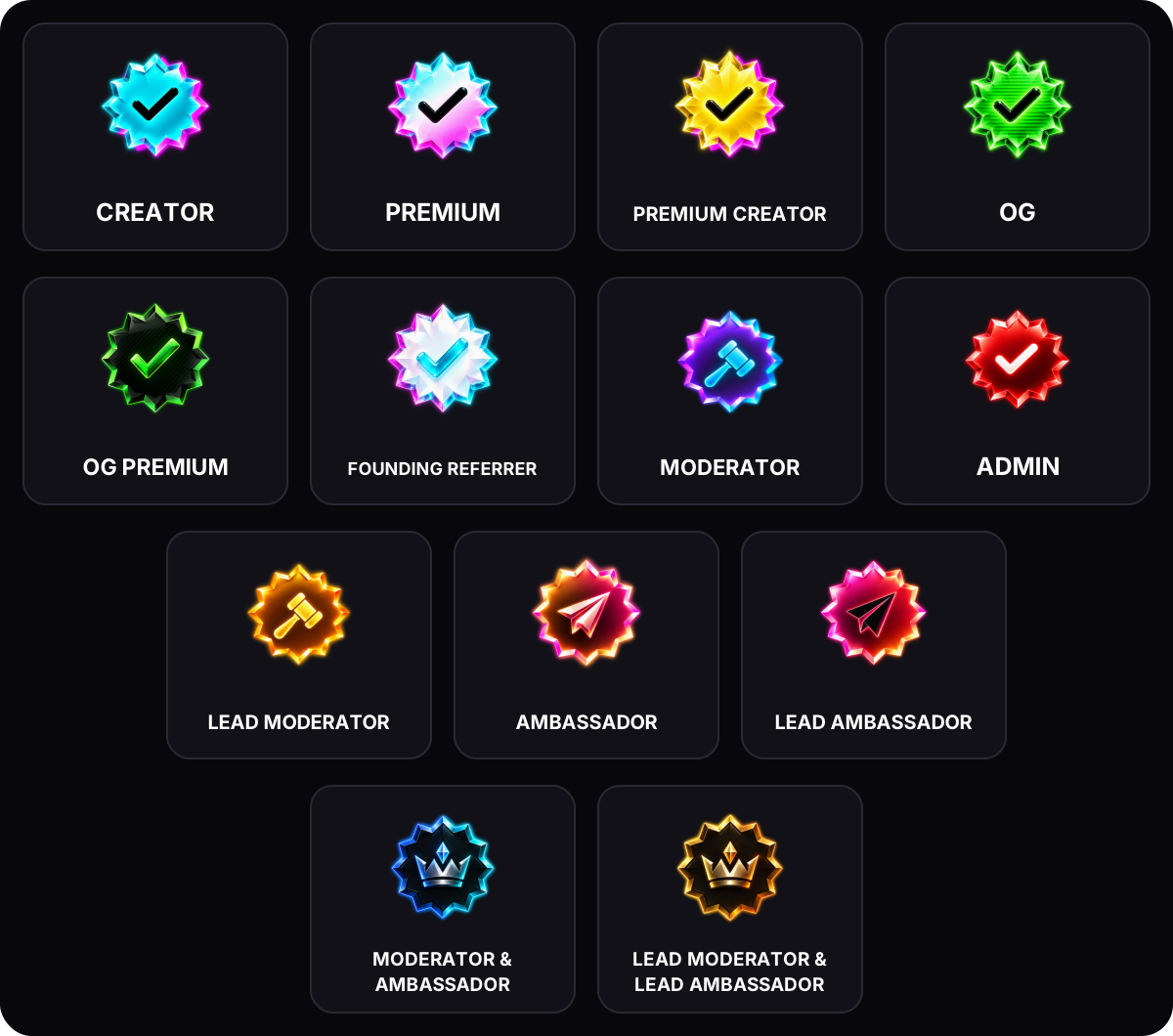
Badges you can earn
- Premium: Have active Lowlight Premium.
- Creator: Join the Lowlight Creator Program after your application is approved.
- Premium Creator: Have active Premium and Creator status at the same time.
- OG: Be one of the first 1,000 eligible users to complete seven separate active days tracked by Lowlight. The days do not need to be consecutive, but the badge cannot be awarded after the global limit is reached.
- OG Premium: Have the OG badge and active Premium at the same time.
- Founding Referrer: Be one of the first 500 users to reach five qualified referrals. A friend qualifies after signing up through your link and being active on 14 separate days. See How can I earn free Lowlight Premium? for the full referral rules.
Badges Lowlight assigns
- Moderator: Identifies an active Lowlight Platform Moderator or an account with a Lowlight moderation role. It is separate from a server’s own moderator role.
- Ambassador: Identifies an active volunteer in the Lowlight Ambassador program. It does not grant moderation powers.
- Admin: Reserved for members of the Lowlight team.
Lead Moderators and Lead Ambassadors have Lead artwork. Members active in both programs use a combined Moderator & Ambassador badge; the combined Lead artwork requires a Lead appointment in both programs.
To apply to either program, use Lowlight on 30 separate days first. The days do not need to be consecutive. See the program guides for the remaining requirements and role boundaries.
Choose your badges
Open Profile → Edit Profile → Badges & Profile Flexes. Your full profile can show up to six selected Lowlight badges, plus your eligible organization badge.
Beside your name in posts, comments and other compact rows, choose one earned badge, such as Creator or OG. Your current Admin, Moderator or Ambassador badge appears automatically in a separate role slot, followed by your organization badge. For example, a Creator who is also an Ambassador can show Creator, Ambassador and their organization together.
Choose Automatic to use your highest-priority eligible earned badge. If you stop qualifying for a selected badge, Lowlight shows another badge you still qualify for. Role badges follow current eligibility and cannot be kept after the role ends.
Organization badges
Organization badges are custom labels for eligible creators in an approved organization. They are separate from account badges, so you can show both if you qualify.
See How do organization badges work? or start with What are Lowlight Organizations?.