Servers Just Got a Big Upgrade
Threads, saved drafts, better search and a cleaner Server Dock. Here's what's new in Lowlight servers.
Published: 2026-09-15T00:00:00.000Z
Game-night plans. A troubleshooting rabbit hole. That useful link someone posted three days ago.
There's a lot happening in a server. This update gives those conversations more room, makes older messages easier to find, and gives owners more control over how their community works.
Threads, saved drafts, better search and new server tools are live on web and iPhone. We've also cleaned up the web Server Dock and refreshed server screens in light and dark mode.
Screenshots show the updated website. Tap any image for a closer look.
Take it to a thread
Planning a session can turn into 40 messages pretty quickly. Give it a thread.
Open a message's … menu, choose Threads, and name the discussion. Replies, images, GIFs and reactions stay together. Follow the threads you care about and check their unread activity without searching the main channel.
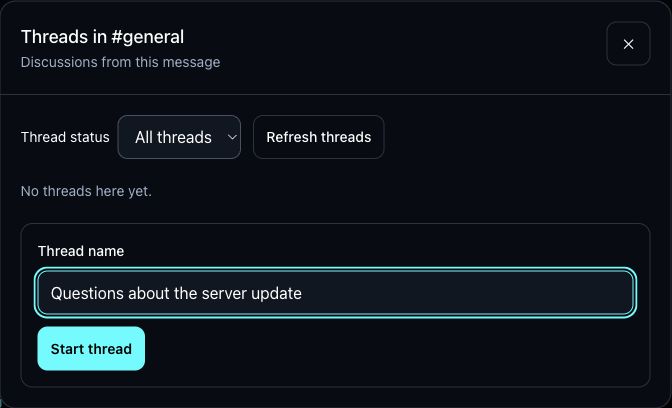
Threads have their own search and saved drafts, too. One thing still to come: mention alerts inside threads. For now, check followed threads in Lowlight.
A cleaner Server Dock
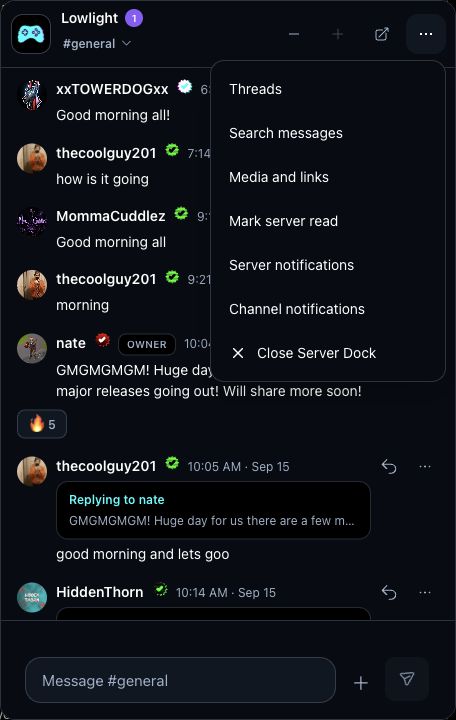
Keep chatting while you browse. The web Server Dock now puts its size controls and full-server shortcut right beside the channel name. Threads, search and the other tools live in one … menu.
Search opens in the full server, where there's room to use it. And when you're in DMs, the Dock moves out of the way of your message controls.
Reply is the arrow beside a message. Report stays inside its … menu.
Find the message you remember
Search through channel history, including messages you haven't scrolled back to yet. Use Media or Links when you remember what someone shared but not what they said.
Need to narrow it down? Open Filters for channel, person and date options. Open a result to see the conversation around it, or copy its message link to share with someone who has access.
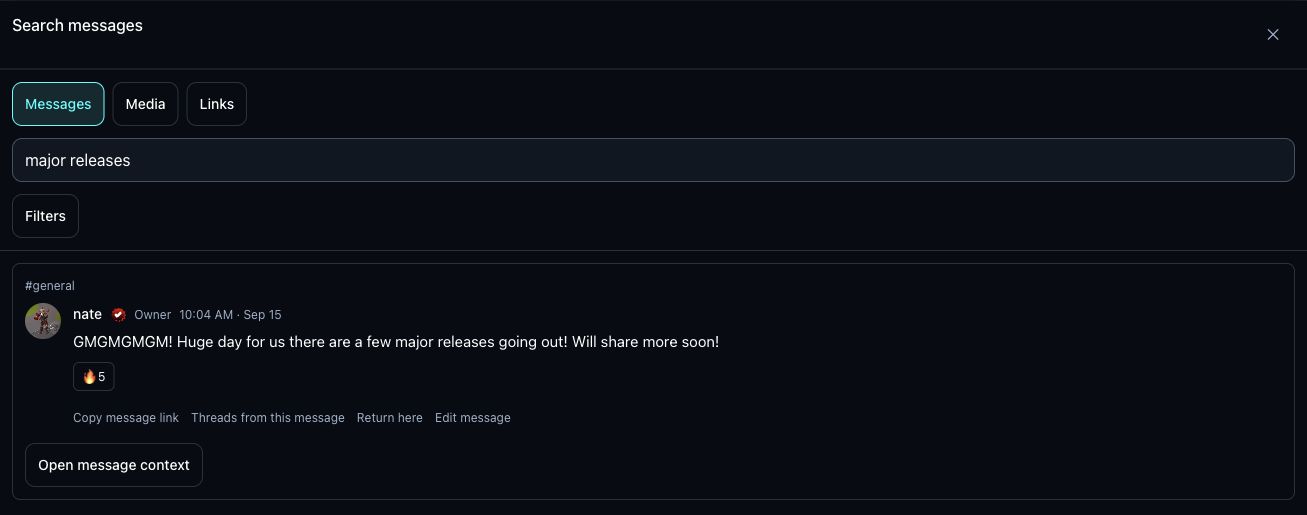
Your unfinished messages now stay with their channel or thread when you leave. Drafts save on that device or browser, so you can come back and finish them. Continue chatting returns to your last channel; Return here bookmarks a particular message.
Set up your server your way
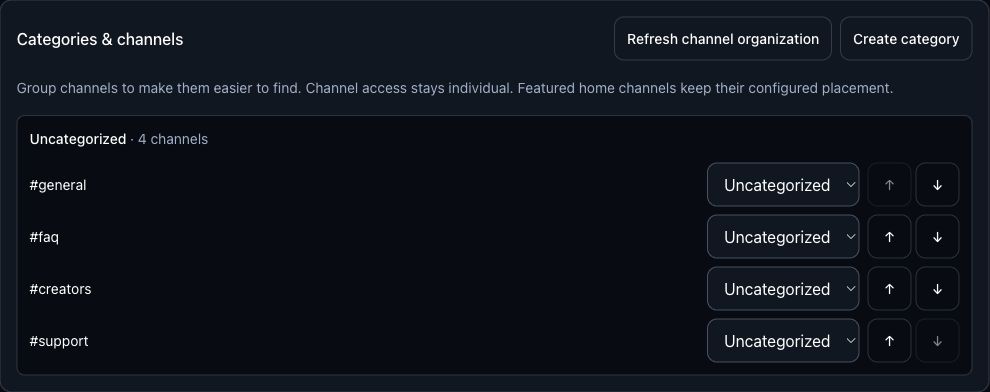
Group channels into categories, reorder them, and choose which roles can access each channel. Keep announcements at the top, games together and team discussions in their own place.
Custom roles now have editable names, colors and 10 permissions you can delegate, covering jobs like invitations, join requests, moderation and pins. Member search, report filters and an owner activity log help you keep track.
For community-run servers, a welcome guide can introduce the rules, recommend channels and ask application questions. Invitations can send people to a chosen channel, with optional temporary membership.
Turn the noise down
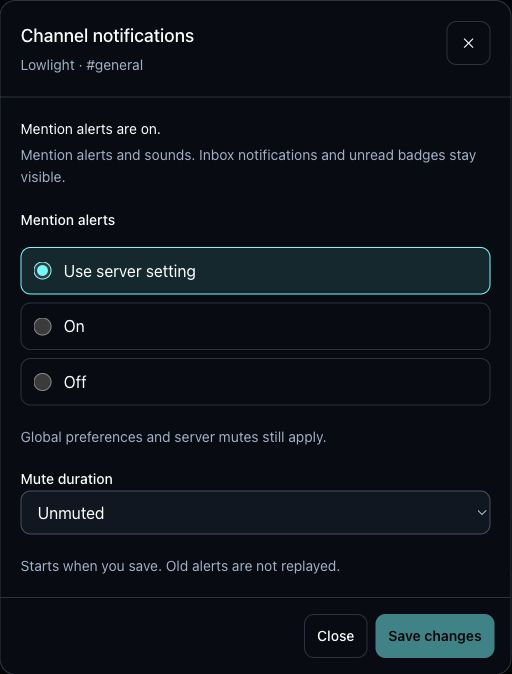
Set mention alerts for a whole server or an individual channel. Mute them for 15 minutes, 1 hour, 8 hours or 24 hours, or until you turn them back on.
Your inbox, badges and unread counts stay there when you're ready to catch up.
A few more things worth trying
- Fix a typo after sending. Edit your own messages and captions.
- Keep useful pins. Pinned messages in active main channels are protected from routine age-based cleanup. Deletion and moderation still apply.
- Share from iPhone. Send a Lowlight post's link to a server draft, add your comment, then send it when you're ready.
- See who's typing. Typing indicators are now part of server conversations.
See you in there
Give it a go. Refresh the website for the latest changes. On iPhone, tap Restart when Update ready appears.
Start a thread for tonight's plans. Put those channels in order. And keep telling us what needs work through Help in the app.