Audio Calling Is Here. Call Your Duo.
For the “one more?” that turns into five. Call a friend on Lowlight, talk games, trade terrible takes, or just keep each other company. Audio calling is live on web and iPhone.
Published: 2026-10-01T00:00:00.000Z
Your friend just posted a clip. You have questions. Mostly: “How are you still alive?”
You could type out your entire reaction. Or you could call them and let them hear it.
Audio calling is live on Lowlight! You can now call a friend one-to-one on web or iPhone, right from your DMs. Tap the phone icon, let them pick up, and settle in for the play-by-play. Dramatic reenactments encouraged.
We’re pretty excited about this one. Lowlight is where you share the plays, meet other gamers, and find people who get your very specific obsession with a very specific game. Now you’ve got another way to spend time together.
Good games. Better company.
Maybe you’re figuring out what to play tonight. Maybe you and another creator are plotting your next collab. Maybe your friend has a 12-minute explanation for a six-second clip, and honestly, you want to hear it.
Open your one-to-one conversation and hit the phone icon. That’s where the call starts, right alongside the messages you’ve already been sending each other.
And if the game plan turns into a catch-up about absolutely everything else? Sounds like a good call to us.
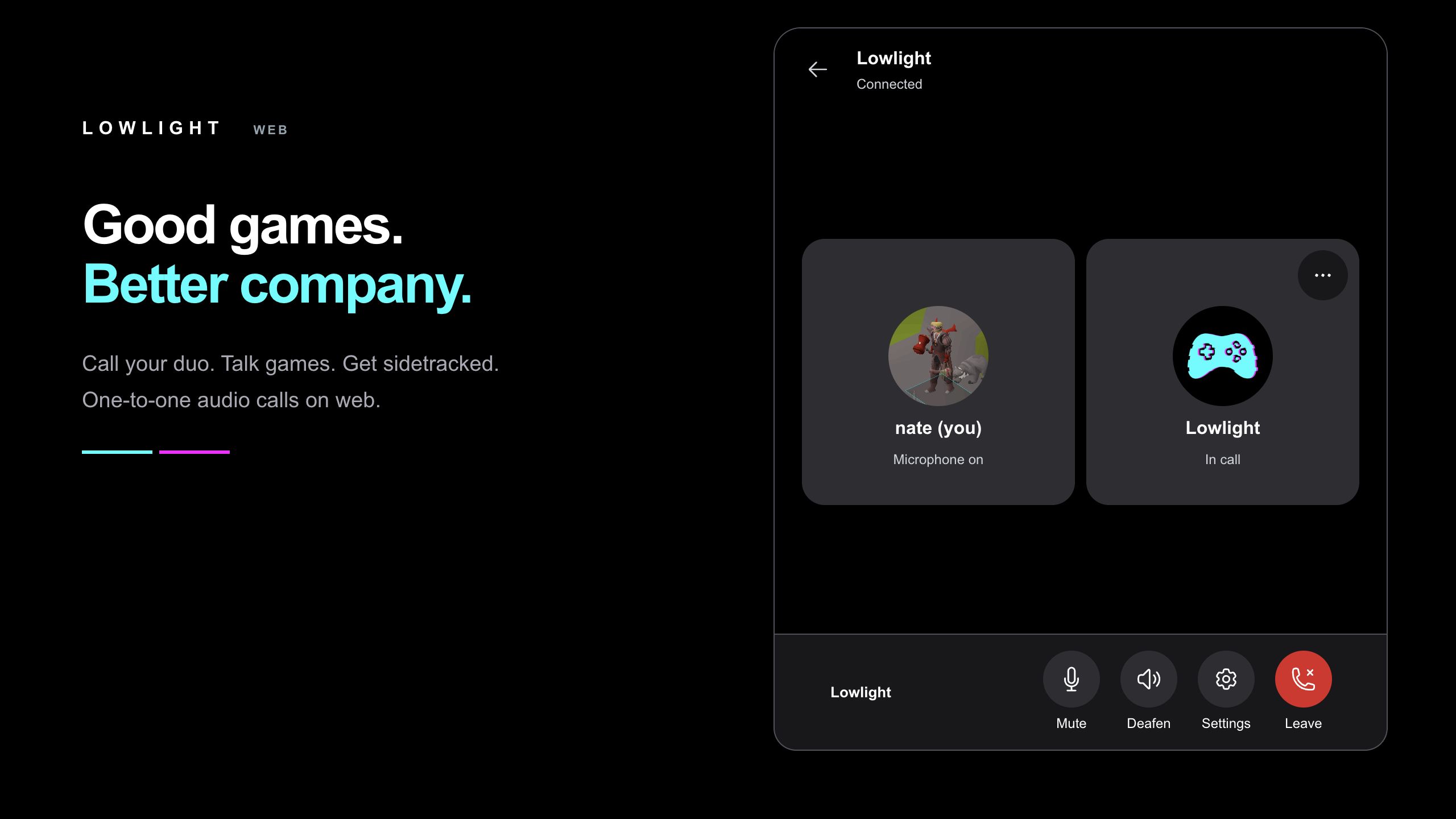
At your desk. On your couch. Same call.
You’re on your iPhone. Your friend’s in their browser. You can still call each other. Web-to-web and iPhone-to-iPhone work, too.
On web, you’ve got a call panel with your controls together. On iPhone, there’s a full call screen with big participant tiles and the essentials within reach. Minimize either one to keep browsing Lowlight while you talk, then bring the call back up whenever you need it.
Go find the clip you were trying to describe. “The one with the thing” could use a little context.
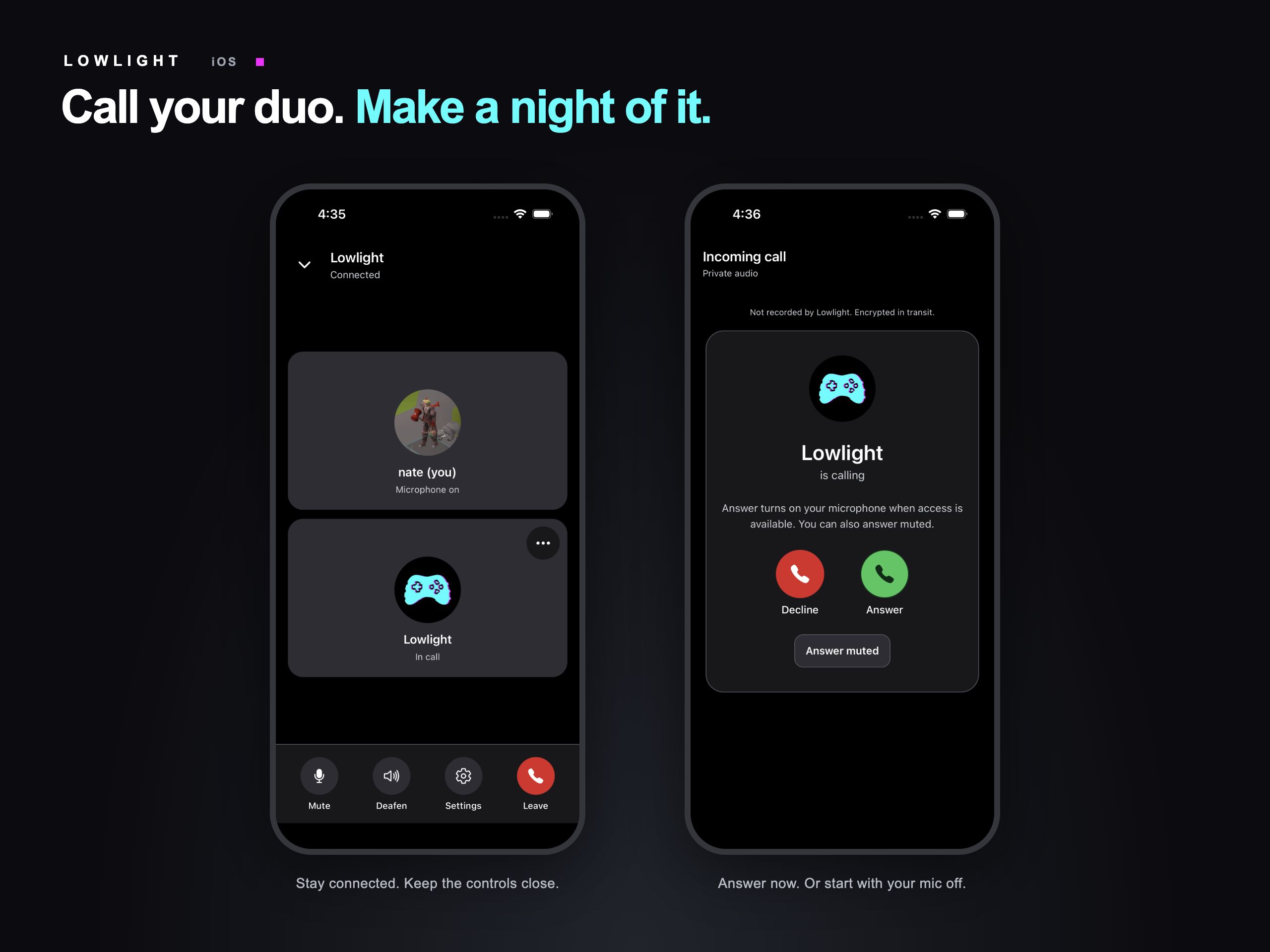
Snack breaks welcome
Got a call right as you opened the loudest bag of chips on earth? Choose Answer muted. You can hear your friend while your microphone stays off, then unmute when you’re ready.
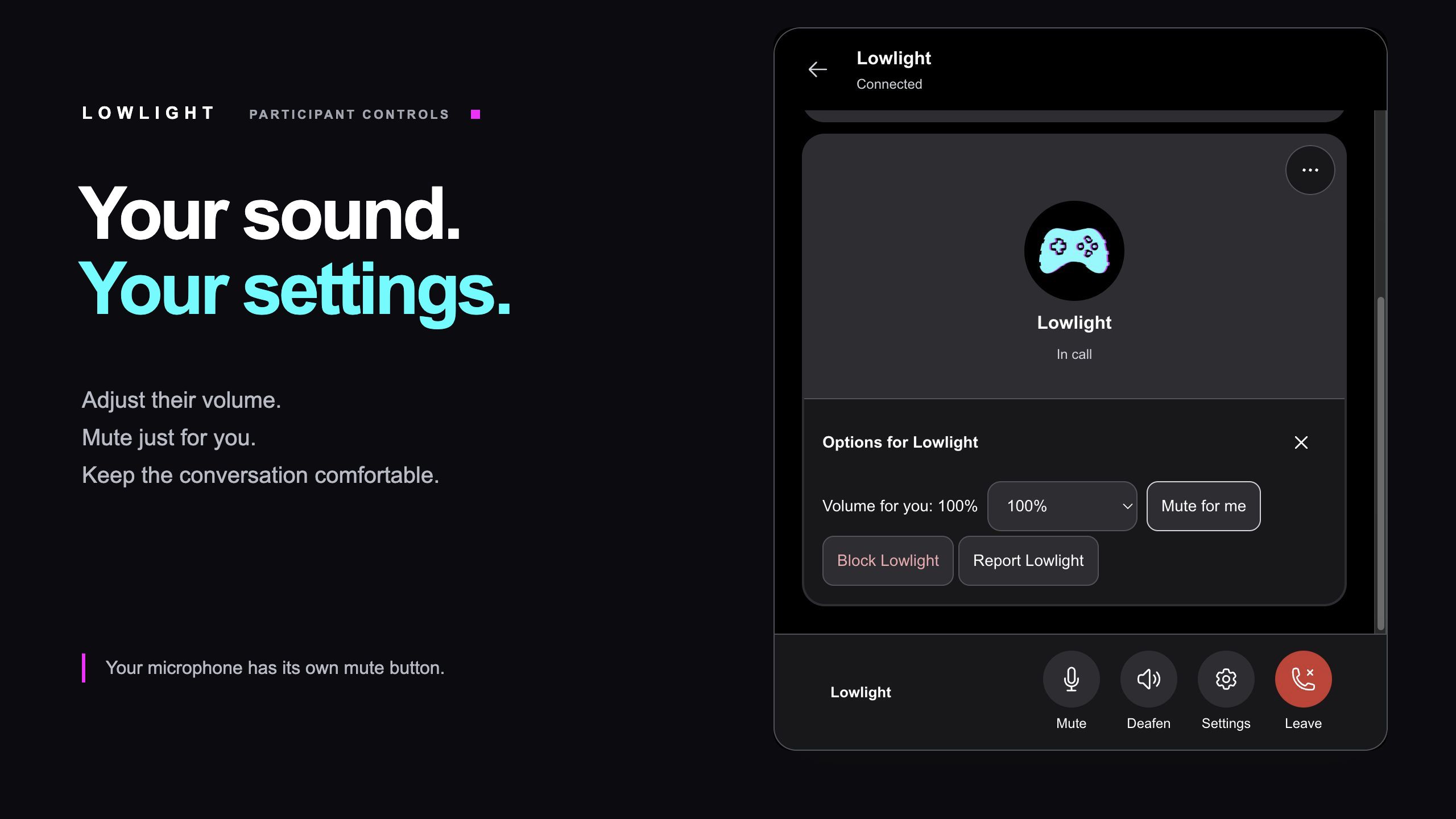
Once you’re in, Mute controls your mic, Deafen pauses incoming audio, and Settings opens your audio options. You can also open your friend’s participant options to adjust their volume or choose Mute for me. Those last two change what you hear.
When it’s time to go, hit Leave. We believe you when you say it’s the last game. Mostly.
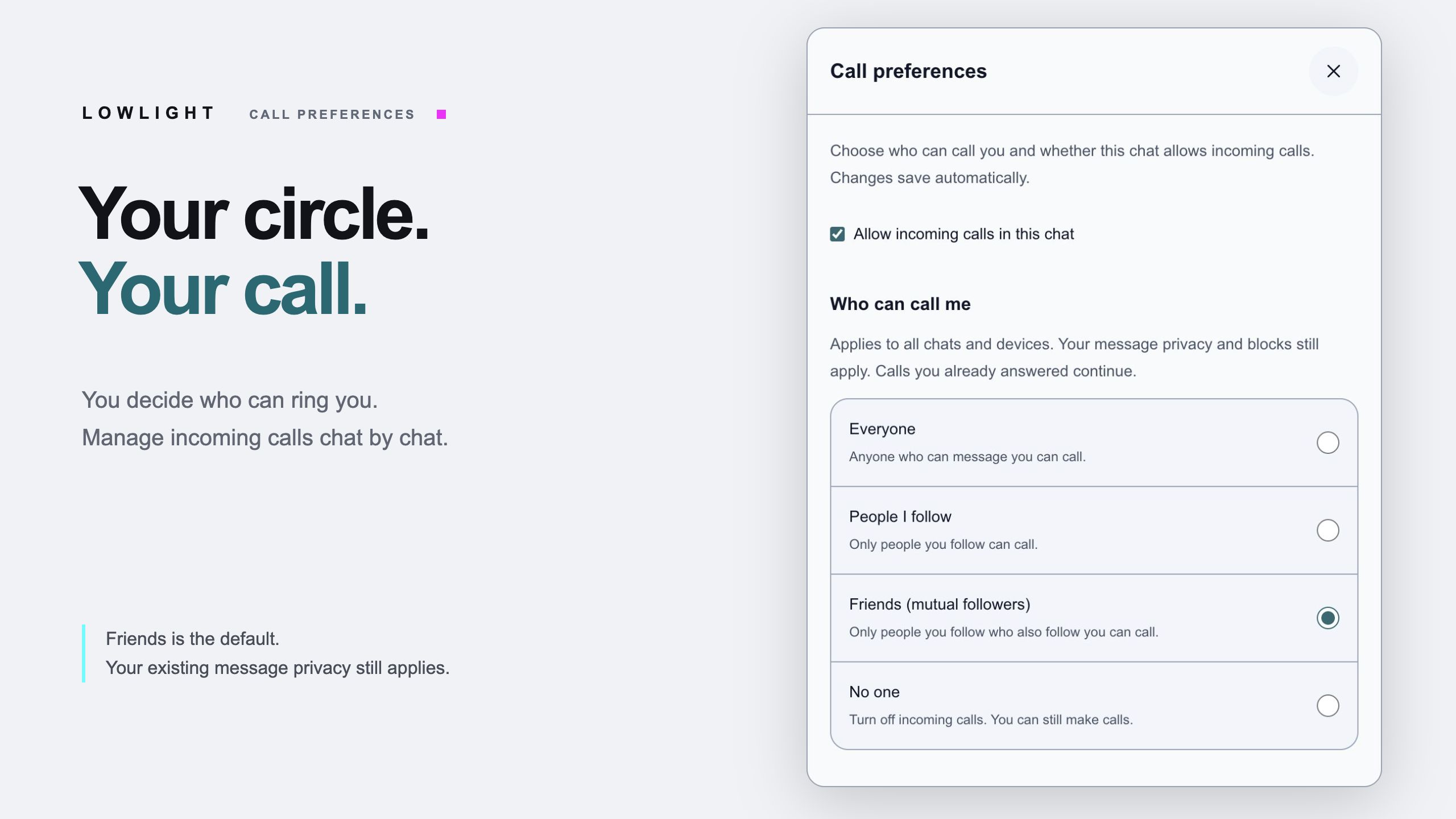
Decide who gets to ring you
Some nights are for catching up. Some nights are for a solo quest and zero interruptions. You get to choose.
Open Call preferences beside the phone icon in a conversation to pick who can call you: Everyone, People I follow, Friends (mutual followers), or No one. The default is Friends: people you follow who follow you back.
That preference carries across chats and devices. You can also switch off incoming calls for an individual chat, and your existing message privacy settings and blocks still apply.
A quick heads-up: audio calling is brand new, and we’re expecting a few bugs as everyone jumps in. If you run into one, please report it through Settings → Report a Problem → Bug Report. Tell us what happened and whether you were on web or iPhone so we can track it down. Thanks for helping us make every call better.
Okay, who are you calling first?
Head to Lowlight in your browser or grab the latest version of the iPhone app. Then:
- Open a DM. Pick the friend you want to talk to.
- Tap the phone icon. Allow microphone access when prompted.
- Wait for them to answer. They can pick up with their mic on or answer muted.
Your duo. Your collab buddy. The friend whose clips you’ve been hyping up all week.
Give them a call. You’ve got plenty to talk about.
Screenshots show a staged call between Lowlight and nate using their public profile pictures in Lowlight’s web and native iOS interfaces.