Got More Than One Account? Switch Without Logging Out.
Your main. Your clips page. The account you swear is only for one game. Add them once and hop between them on web and iPhone, no passwords in between.
Published: 2026-10-12T00:00:00.000Z
You know the routine. Log out. Type the other email. Get the password wrong. Get it wrong again. Reset it. Forget why you wanted to switch in the first place.
That’s over. Account switching is live on Lowlight, on web and iPhone. Add your accounts once, and moving between them takes a couple of taps.
Plenty of you run more than one. A main and a clips page. A personal account and one for your server or your team. An account that exists purely because of one game and one very committed bit. Whatever the reason, you shouldn’t need your password every time you change hats.
Add it once
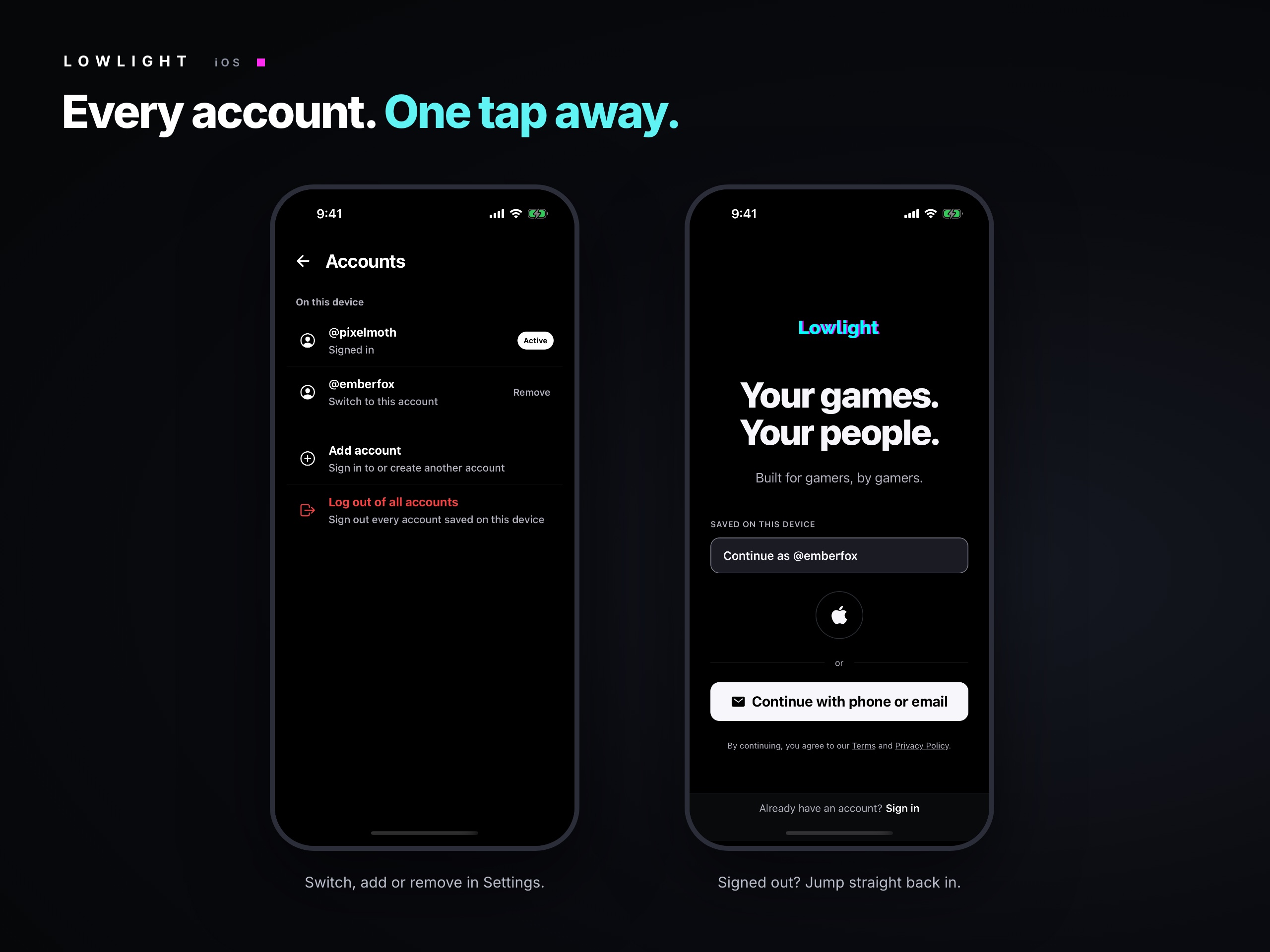
On web, click your profile picture in the top corner and choose Add account. On iPhone, head to Settings → Accounts and tap Add account.
Sign in to the other account the way you normally would, or create a brand-new one right there. That’s the last time you’ll type that password on this device for a while.
You can keep up to five accounts on a phone or in a browser. If you need a sixth, we have questions, but mostly admiration.
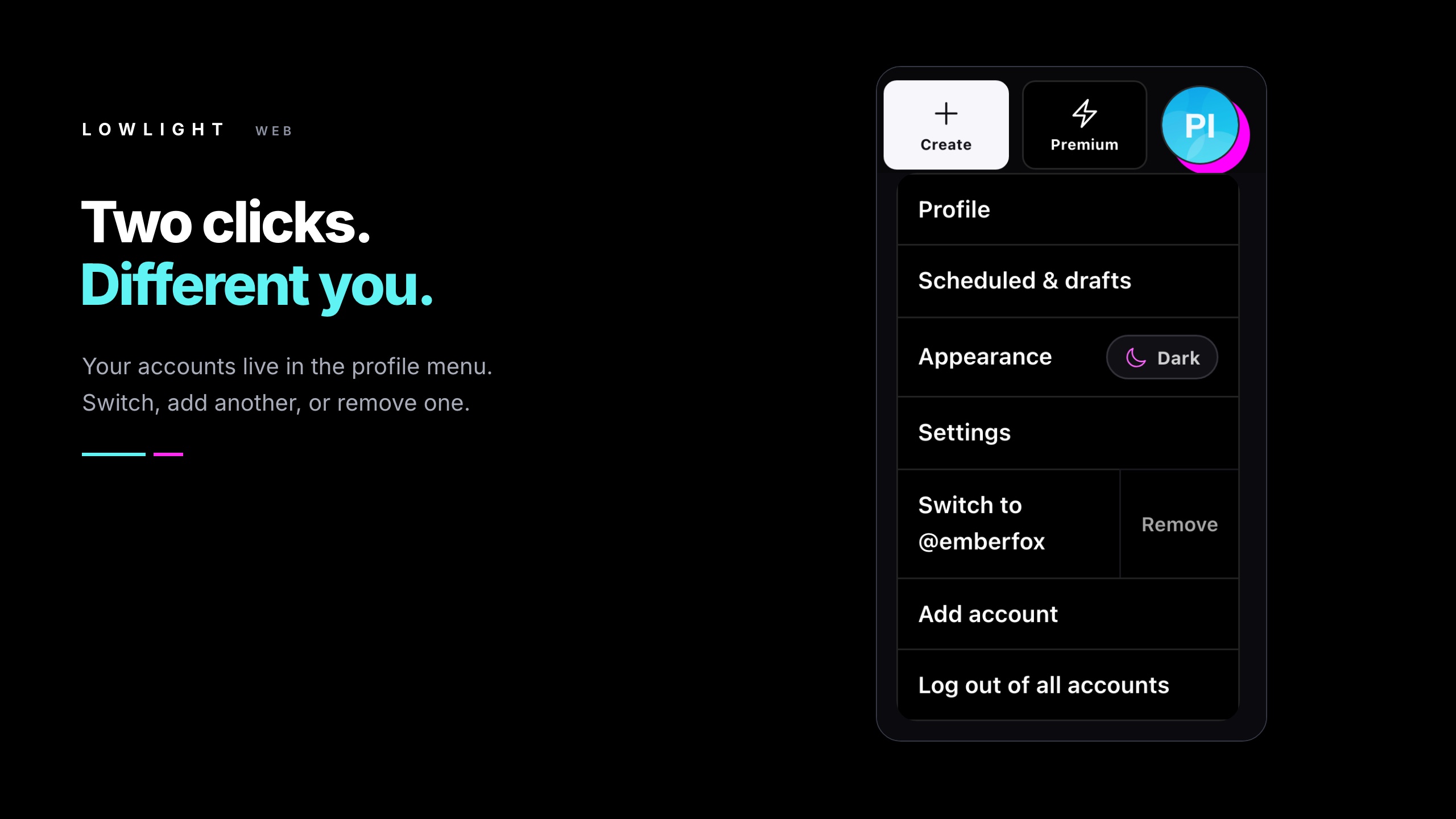
Then just switch
Open the same menu, pick the account you want, and you’re in. Your feed, your DMs, your servers and your notifications all change over to that account. Nothing gets mixed together: each account keeps its own followers, messages and settings.
If a video is still uploading when you switch on web, we’ll check with you first so your post doesn’t get cut off halfway.
You won’t miss what happens on the other one
This is the part we cared about most. On iPhone, notifications for your other accounts still come through while you’re using a different one. Each one shows which account it’s for, with the @username right under the title, so a new follower on your clips page doesn’t look like it happened on your main.
Tap the notification and Lowlight switches to that account and opens it. Calls ring for the account you’re using; if someone calls one of your other accounts, you’ll get the missed-call notification there.
Logging out does what you’d expect
Log out signs out the account you’re using and moves you to the next one on the device. The others stay put. To clear everything in one go, there’s Log out of all accounts.
You can also take a single account off a device with Remove. It only removes the saved sign-in from that phone or browser. The account itself is untouched.
Still locked down
Every account keeps its own password and its own two-factor settings. Saving an account on a device doesn’t link it to your others or weaken either one.
Change the password or two-factor setup on an account, and its saved sign-ins everywhere will ask for the password again. And if you’ve left an account on a device you no longer use, open your sessions list in Settings to see where it’s saved and remove it from there.
One note for shared computers: a saved account can be opened without its password, the same as staying logged in. On a device that isn’t yours, use Log out of all accounts before you leave.
A quick heads-up: this one touches sign-in, so we tested it hard, but it’s new. If anything looks off, tell us through Settings → Report a Problem → Bug Report and mention whether you were on web or iPhone.
Go on, add the other one
- Open the menu. Your profile picture on web, or Settings → Accounts on iPhone.
- Choose Add account. Sign in, or make a new one.
- Switch whenever. Same menu, one tap.
If you’re on iPhone, update to the latest version of the app first.
Your main can finally stop covering for your alt.
Screenshots show demo accounts in Lowlight’s web and native iOS interfaces.